
Data Products in Microsoft Fabric
This is part 4 of my series on managed data products. Please find an introduction and an overview of the concept in this blog post
My favorite definition of data products says:
A data product is a reusable, self-contained package that combines data, metadata, semantics and templates to support diverse business use cases.
While this definition ticks all the important boxes, it is often difficult to imagine how to actually implement this concept. In this article I want to outline our approach using Microsoft Fabric as a platform. I want to emphasize, that data products do not need this particular framework - there are in fact many other ways to implement this concept. However, I imagine these details to be a useful reference.
You can find the example data product discussed in this blog post here.
Data Product = Workspace
Let us start by identifying some basic structures. Can we draw clear boundaries between data products within Fabric? It turns out, we can by using so-called workspaces. They are defined as follows:
Workspaces are places to collaborate with colleagues to create collections of items such as lakehouses, warehouses, and reports, and to create task flows.
Using a one-to-one relationship between workspaces and data products has two distinct advantages.
- Cross-workspace interaction while not forbidden, is somewhat discouraged and often takes extra effort. Thus, having separate workspaces for data products enforces self-sufficiency of them to some degree.
- A workspace in Fabric is seen as an deployable unit. Meaning it can have its own environment variables, libraries and most importantly can be synched with version control as a whole. Also from this point of view, data products and workspaces are very much alike.
The last point might need some further clarification. While working in any graphical user interface is great, we want to keep the resulting code in some kind of version control system. Fabric has integrations of Github and Azure Devops to synch all artefacts in workspaces. Technically, multiple workspaces can also be synched to a single monorepo by using different folders. However, since we want to version different data products individually, we prefer to use separate repositories for separate data products.
The downside of this setup is that you will have to maintain many different workspaces (and repositories) depending on the number of your data products. This can also lead to a lot of redundant code and a increased complexity.
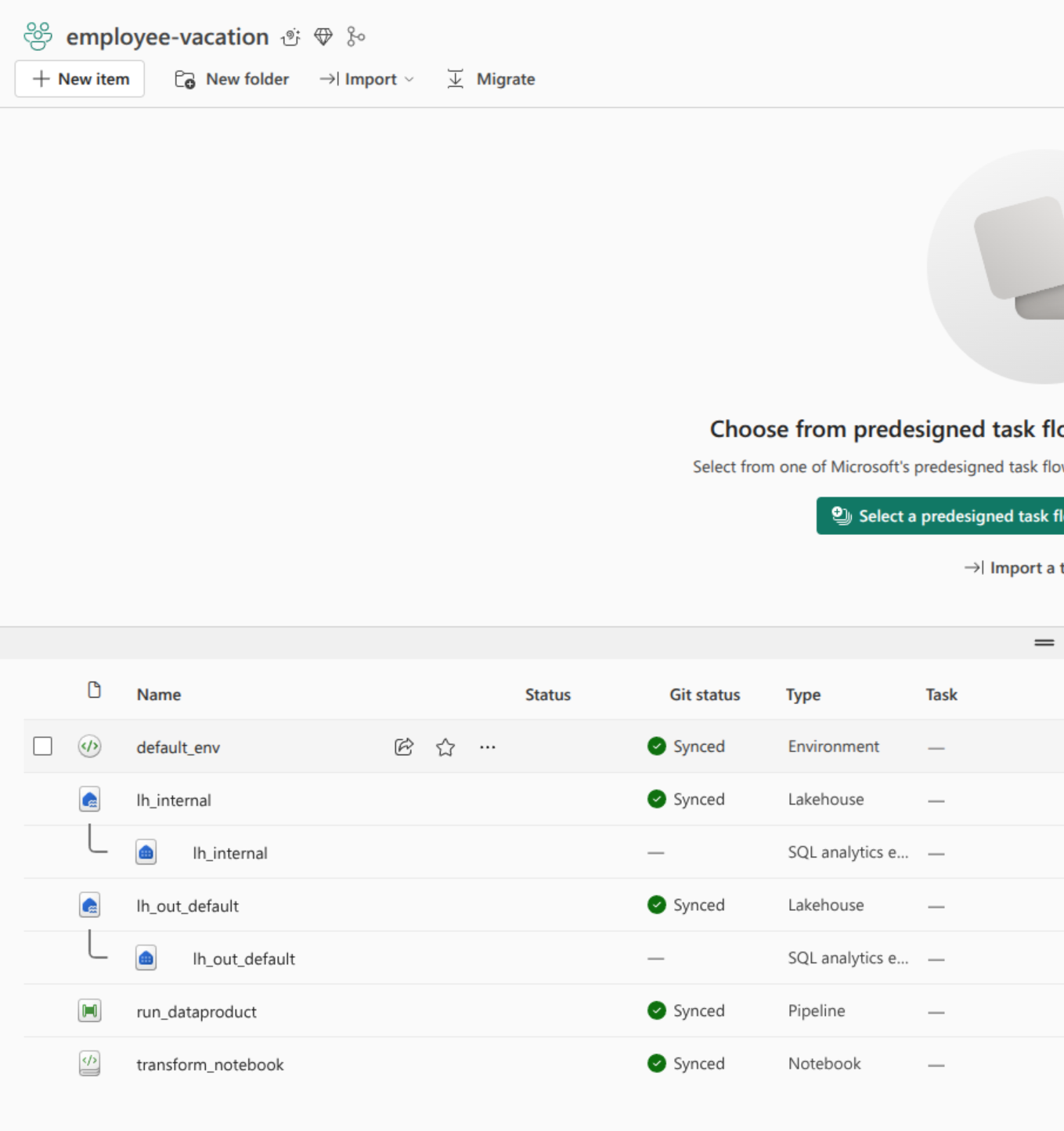
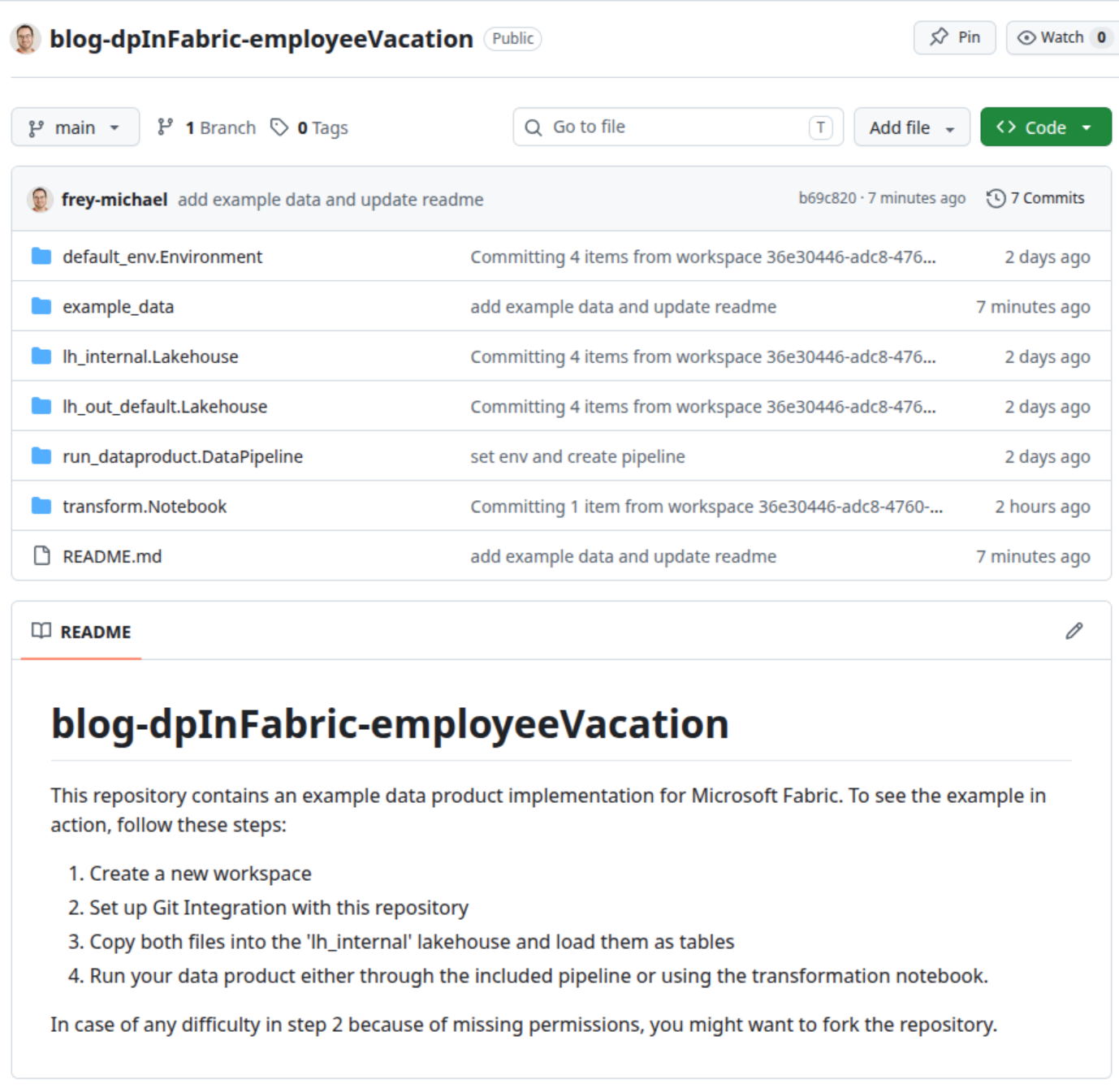
Below you can see an example of a data product in Fabric and its corresponding Github repository.
| Artefacts in Fabric | Artefacts in Repository |
|---|---|
 |  |
Data and Outports
Data Products will at one point or another consume and produce data. Fabric comes equipped with OneLake that is defined as a single, unified, logical data lake for your whole organization. The main idea behind OneLake is to have a single ‘master copy’ of your data and use smart mechanisms for access control and logical grouping instead of copying data multiple times for different purposes. We will look further into this concept when we talk about data product interactions.
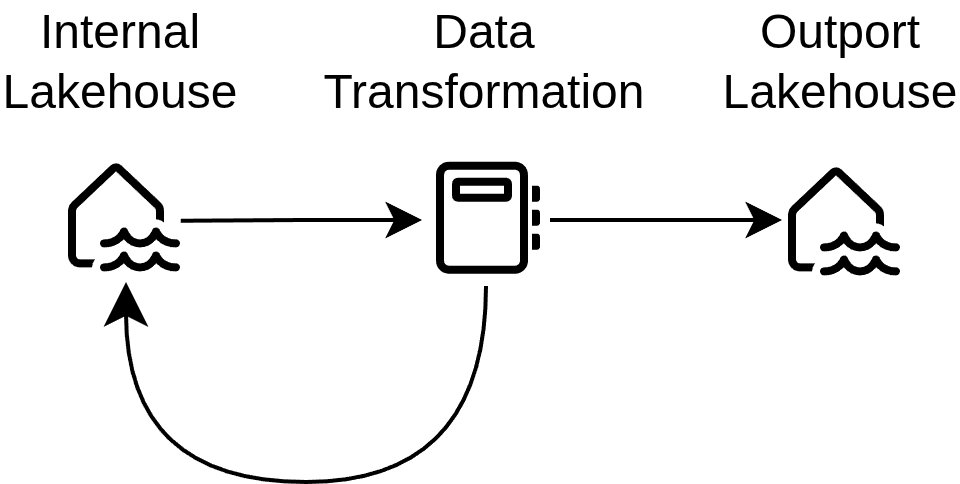
Within data products, we use lakehouses as a container of data - at least two of them. One lakehouse is designated for internal use while at least one other lakehouse works as an interface for consumers. More generally, every outport of a dataproduct is implemented as a single lakehouse. In this way, access to different outports can be controlled easily by adding security groups to the corresponding lakehouses. Internal lakehouses on the other hand are only intended to be used by the data product itself. Input ports are available within the internal lakehouse as well as any intermediary results or lookup tables.
A simplified version of the data flow is illustrated below.
Transformation and Environments
The actual code for the necessary transformations within a data product is probably the most straight-forward topic in this article; we use (Jupyter) Notebooks. In most cases a single notebook is enough, but we also use multiple ones in case the transformation is complex and/or we want to divide some steps for better parallelization.
We try to reuse as much code as possible, which we do in two ways.
- We put common code as functions into a library, which is imported by all data products
- Generic data products rely heavily on configuration. In other words, we have a group of data products that have almost no code in it but large configuration files that control library functions.
Notebooks always need environments to run. Either standard environments or custom ones can be used while the latter usually takes remarkably longer to initialize. We nevertheless use custom environments which contain our library as well as our individual spark settings.
Orchestration
The topic of orchestration is twofold. There is internal orchestration within a data product and then there is orchestration across data products.
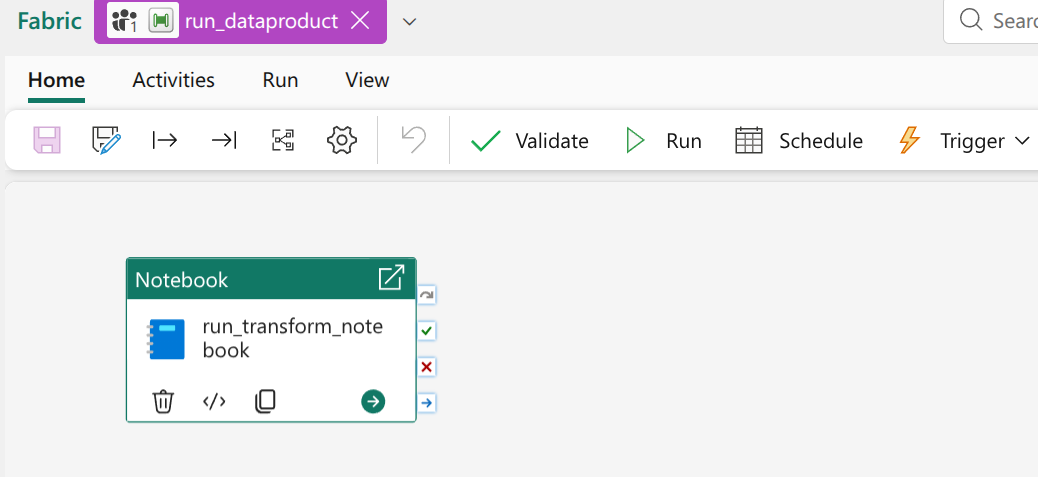
Internal orchestration in our case is always done with a default Data Factory Pipeline. Every data product has exactly one such pipeline which has the same name across all data products. In most cases this pipeline is fairly simple: it has a single notebook activity that starts the transformation. If the transformation consists of multiple notebooks, the pipeline will be more complicated as well.
We have very consciously decided against any overarching orchestration across data products. Since we want to make sure, that customers can use managed data products in a modular way with their own customised data products, a central orchestration pipeline would be challenging to implement and interact with. Instead we use the choreography pattern. A data product can be set to run as soon as some or all of its upstream dependencies have finished successfully. Of course, data products can also be run manually or on a fixed schedule. The choreography pattern is a custom implementation and is not supported by Fabric. An important part of it is a uniform way to trigger data products via an API-Call, which is why we enforce such strict measures regarding the pipeline.
Metadata
Data products are bound to have metadata such as descriptions, data classification, schemas and datatypes, data owner and much more. This is currently still the most difficult part to implement with Fabric because there simply is only so much support for plain files. Of course there are many options to add plain files. They can be put into notebooks, lakehouses or environments to name a few possibilities. Unfortunately, files at these locations are not taken into account when synchronizing with a repsitory. Thus, extra steps are needed, whenever metadata needs to be maintained.
Quite recently there was a minor improvement in this area. Plain files can now be added to notebook resources and actually be synched with version control. For this to work you need to enable the ‘Resources in Git’ setting within the notebook that you want to use (yes you need to enable this in every, single notebook).
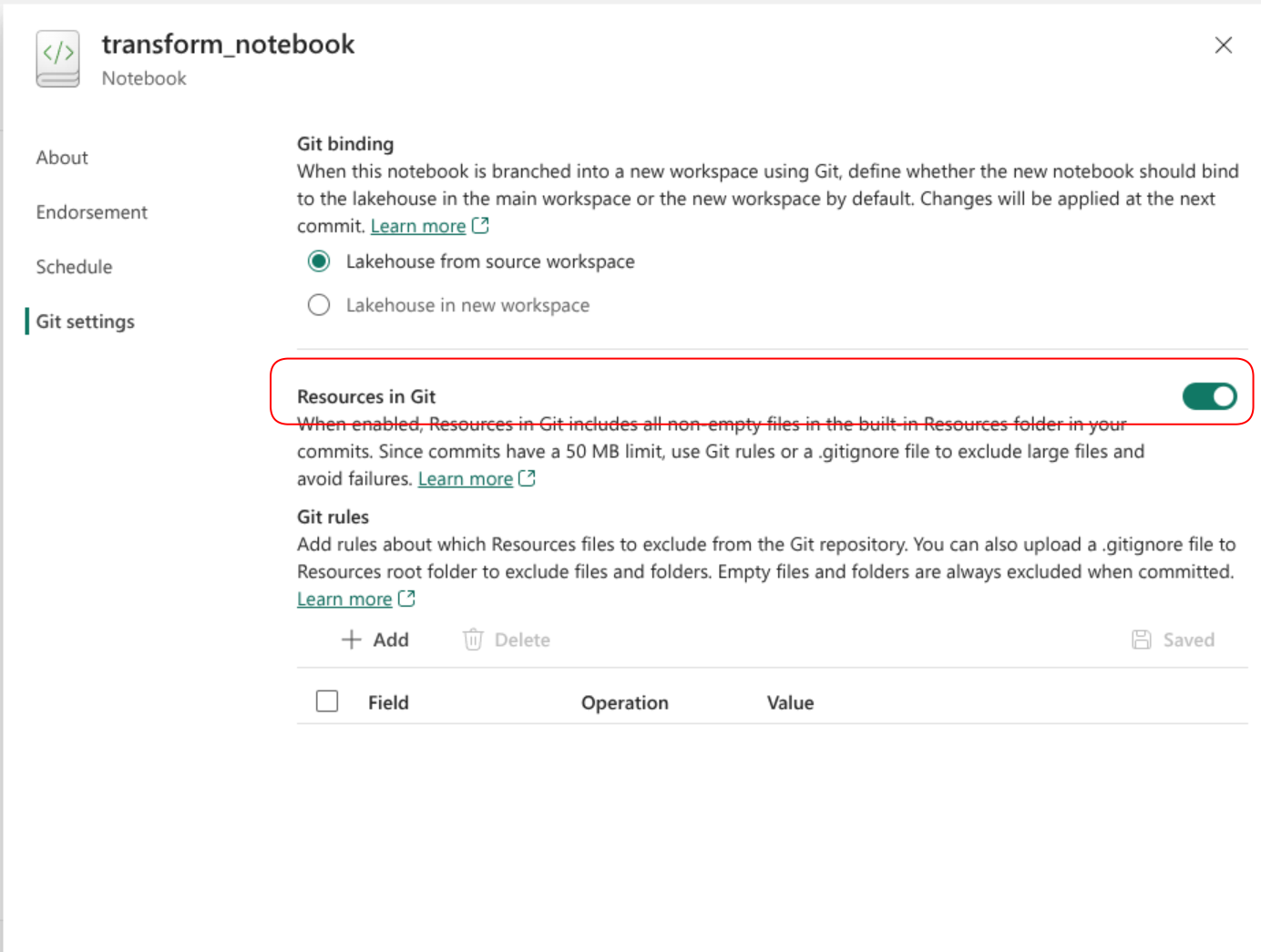
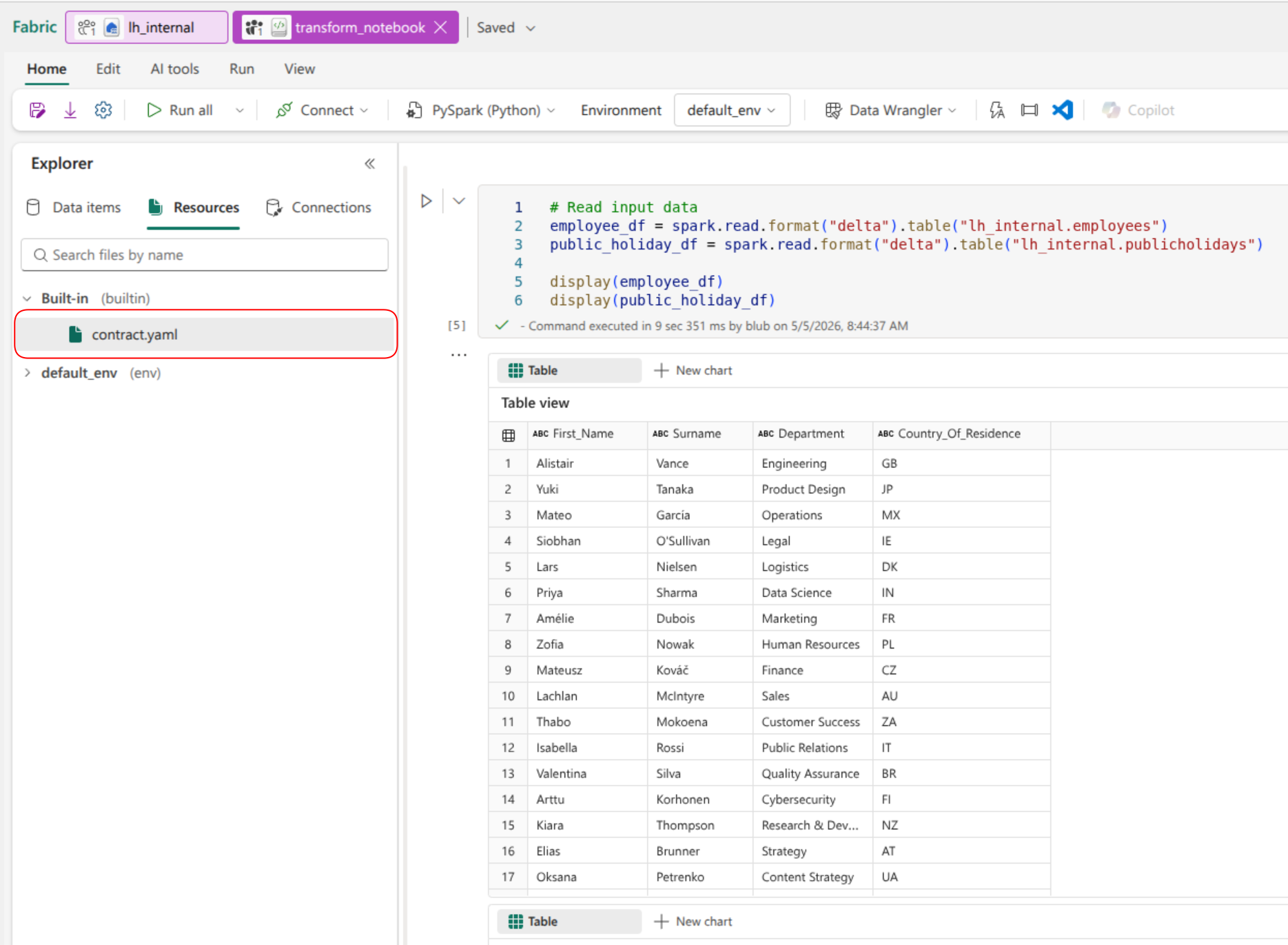
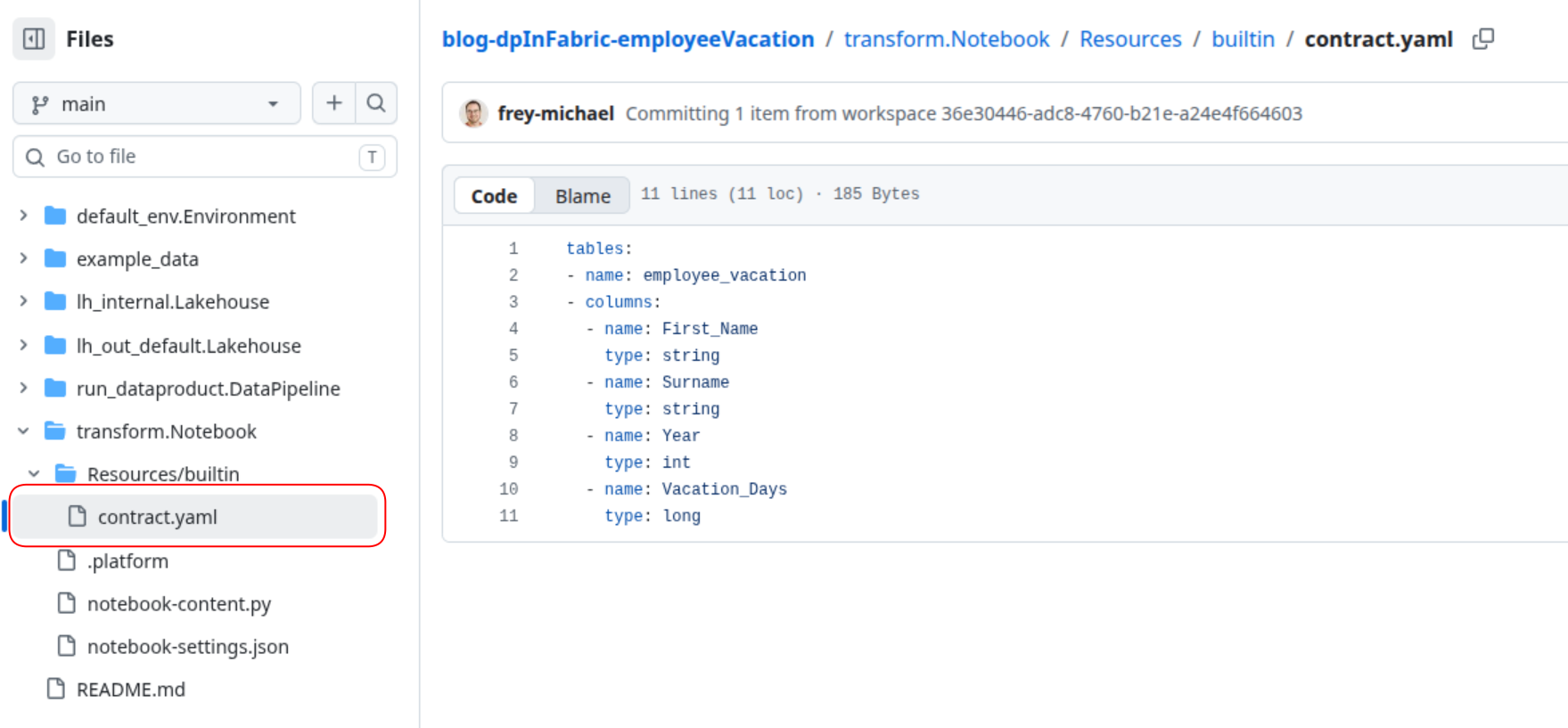
Afterwards, all changes to your file can be synched back and forth. In the example repository, the ‘transform’ notebook has a contract file stored within.
| Contract File in Fabric | Contract File in Repository |
|---|---|
 |  |
Since we store most of our metadata in the corresponding outports, files in notebooks are not a huge step forward. We still need to use some deployment magic and initialization scripts to get the file to the location they belong. In general, a simple way to actually create plain text files in a workspace would be highly appreciated.